Translate video in hindi means taking a video file (usually English source, but any supported language works) and converting its spoken content into Hindi subtitles or a Hindi transcript. You upload the video, the audio is extracted, the speech is transcribed, and a timed SRT or VTT subtitle file in Devanagari comes back. This is the file-based path: no live screen capture, no extension that runs while you watch. Always review proper nouns and brand names in the first preview before publishing, since translate video in hindi gets those wrong more often than it gets anything else wrong. If you have a clip ready, jump to the uploader above and skip the rest. If your source is audio only, see Hindi to English translation by voice. For Hindi same-language captions, see speech to text in Hindi.
Last verified: 2026-05-24
First Thing: You're Uploading a File, Not Streaming
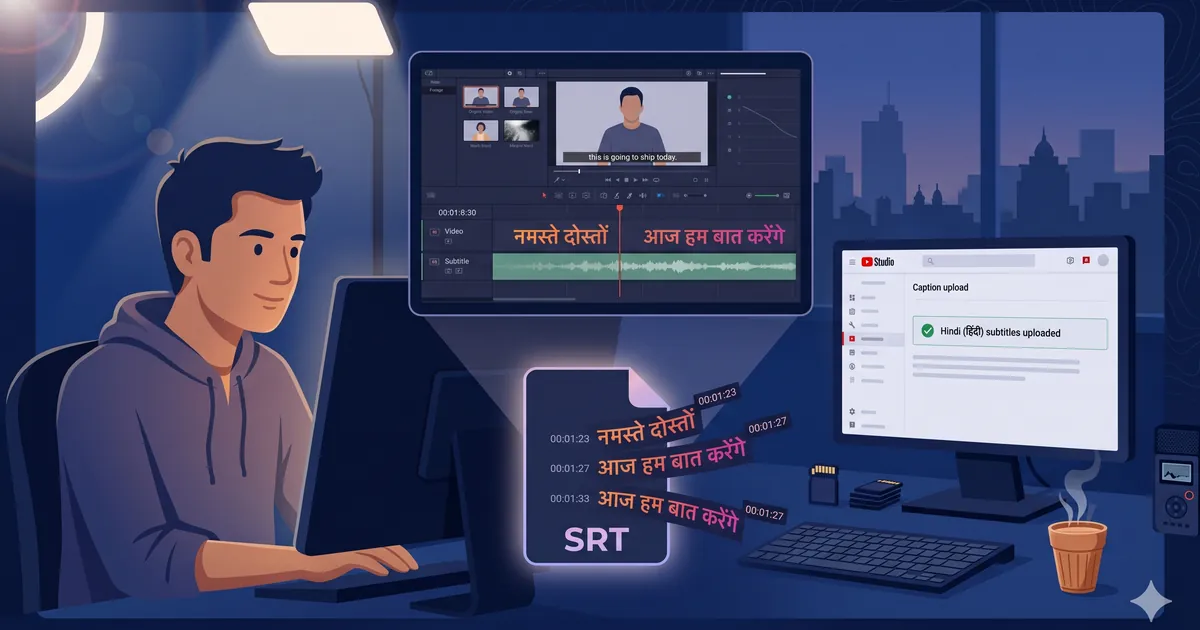
No live screen capture, no browser extension, no watch-along translation. You give us a finished video file. We give you back a subtitle file you drop into your editor or into YouTube Studio. That is the entire transaction.
The reason translate video in hindi runs on files, not streams, is quality. Streaming translators have to guess on incomplete audio because they have not heard the next sentence yet. A file-based translate video in hindi workflow can listen to the full video twice, lock the speaker identification, then translate with full context. The Hindi output is meaningfully cleaner this way, especially for technical content, brand names, and proper nouns.
The shape of the translate video in hindi workflow:
- Have your finished video file ready (MP4, MOV, AVI, MKV, or WEBM).
- Drop it in the uploader at the top of this page.
- Pick source language (usually English) and Hindi as the target.
- Wait. Short clips finish in under a minute, half-hour videos in a few minutes.
- Download the SRT (or VTT, or plain Hindi text) and drop it into your editor.
Get Your Video Ready in Under a Minute
A few things to check before you translate video in hindi. None take long, all matter:
- Format: MP4 most reliable. MOV from iPhone or DSLR, MKV from desktop screen recorders, WEBM from OBS all work. AVI works but the audio codec inside is sometimes exotic, so MP4 is safer.
- Size: Under 1 GB easy. 1 to 5 GB slower upload. Over 5 GB, compress with HandBrake first. The "Fast 1080p30" preset drops most videos under 1 GB without visible quality loss.
- Audio quality: Matters more than video quality. A clean voiceover shot on a phone in a quiet room produces better Hindi than a noisy studio recording with bad mic placement.
- Length: Under 60 minutes single file. Longer, split. If one chunk fails only that one re-runs, not the whole video.
How to Upload Your Video Here
If the file is ready, jump back to the uploader and:
- Drag your video file onto the box, or click to open the file picker.
- Select your video.
- Pick source language (default English) and Hindi as the target output.
After processing, you get a Hindi subtitle preview. Looks right, download the SRT. Something off (a name spelled wrong, a phrase mistranslated), the editor lets you fix that line before download. For most videos the first preview is publish-ready, which is what makes translate video in hindi stick once a creator tries it on a real file. Most teams settle on a default translate video in hindi profile within their first three videos.
Free Alternatives (Honest Mention)
Some workflows do not need a paid tool to translate video in hindi:
- YouTube Studio auto-translate: upload to YouTube, let YouTube generate captions automatically, click Translate, pick Hindi. Uneven quality for technical content, fine for casual vlogs. Free, integrated.
- Google Translate on a transcript: paste your transcript, pick Hindi as the target. Manual SRT re-timing is the slow part.
Neither handles Hinglish well. Neither preserves SRT timestamps from a video. Neither outputs clean Devanagari with proper punctuation. They are free, which matters when the video is a one-off or low-priority side project. For published content that represents your brand or earns revenue, the correction time on either of these typically exceeds the cost of running translate video in hindi through a dedicated tool.
Why Translate Video in Hindi Matters Right Now
The Hindi-speaking online audience in India crossed 530 million unique internet users in 2024, larger than the English-speaking audience by roughly 2.5x. YouTube watch time in Hindi has grown faster than any other Indian language for four years running. For creators who only publish in English, that is a market they are not reaching, even though one SRT file unlocks it.
The same applies to courses, podcasts, brand videos, recorded webinars. A 20-minute English explainer watched by 50,000 English-speaking Indians can, with a Hindi subtitle track, reach another 100,000 to 200,000 Hindi-first viewers. The video does not change. The reach changes. This is why the demand to translate video in hindi has compounded year over year.
Common Creator Mistakes
A few patterns we see repeatedly when teams first start to translate video in hindi at scale. Avoiding any one removes a category of headache.
- Burning Hindi subtitles into the video. Do not on YouTube. YouTube prefers a separate SRT so viewers can toggle, accessibility works, and small screens don't break. Keep the SRT separate.
- Translating before final cut lock. Edit changes shift every timestamp. Translate after picture lock, not during edit, or you pay twice and get half the value.
- Single-speaker mode on a multi-speaker video. Interviews, panels, conversations need speaker labels. Without them the Hindi output reads as one long monologue.
- Trusting the first preview without skimming proper nouns. Hindi translators usually nail conversational content. Where they slip is on brand names, jargon, place names, acronyms. A 90-second skim catches almost all of these and separates a clean translate video in hindi result from line-by-line cleanup.
Output Formats
Translate video in hindi gives three formats from the same job:
- SRT: timestamped Hindi text in Devanagari. Drop into YouTube Studio, Premiere Pro, DaVinci Resolve, Final Cut.
- VTT: same content as SRT, in HTML5 `<video>` format for your own site.
- TXT: plain Devanagari, no timestamps. For repurposing the video as a Hindi blog post or course transcript.
For YouTube and Reels: SRT. For your own site: VTT. For blog repurposing: TXT.
Use Cases for Translate Video in Hindi
The flows where creators reach for translate video in hindi most, in rough volume order:
- YouTubers translating English educational content (coding, finance, English literature) for Hindi viewers
- Course creators on Udemy, Coursera, direct-sold platforms adding Hindi subtitles to English lessons
- D2C and SaaS brands localizing product demos and brand films for India distribution
- Indie filmmakers adding Hindi captions for festival submissions and OTT pitches
- Corporate training teams adding Hindi captions to onboarding and compliance video libraries
- Podcasters who record video versions, adding Hindi subtitles to widen the listenership
For recurring high-volume workflows, contact us before batching files.
Free vs Paid: What Differs When You Translate Video in Hindi
| Feature | Free tools | Paid tools |
|---|---|---|
| Video length limit | Usually 5 to 15 minutes | Up to several hours |
| Devanagari output quality | Uneven, often mixed scripts | Clean Devanagari, consistent |
| SRT timing accuracy | Manual re-timing often needed | Synced to source automatically |
| Hinglish handling | Mostly literal, awkward | Native, preserves intent |
| Speaker labels | Rarely supported | Yes when enabled |
| Brand name preservation | Frequently wrong | Held as English / preserved |
The largest difference is what you get when content has names, jargon, or code-switched language, which is most professional video. Free works for personal one-offs. Paid earns its money the moment translation accuracy affects watch time, brand perception, or course completion. For a published-quality translate video in hindi run, the gap between the two tiers compounds the longer your video is.
Why IndianSubtitles to Translate Video in Hindi
The workflow here was built around Indian creator content from day one, not bolted on after an English-first product launched. Hinglish gets treated as a default for translate video in hindi here, not as an edge case. Indian English place names and brand names are recognized rather than transliterated into garbled Hindi. Pricing is in INR with GST included, no foreign exchange surcharge on payment. SRT and VTT exports are formatted exactly the way YouTube Studio, Adobe Premiere, and DaVinci Resolve expect them, no manual reformatting on import.
First preview is free, no signup required to test on your own file before you commit to translate video in hindi for a longer video. For most creator workflows, that is the whole decision. For ongoing teams shipping more than a few videos a month, pricing covers the plans, and the blog has workflow notes for specific use cases.
FAQs
What does 'translate video in hindi' actually do? Takes your video file, extracts the audio, transcribes the speech, translates into Hindi, returns SRT or VTT subtitle files. Drop the SRT into your editor or YouTube Studio and the Hindi captions appear synced to your original audio.
Do I upload English or Hindi video? Either. Most common case is English source to Hindi target. You can also upload a Hindi video for same-language captions (accessibility) or to translate into another Indian language. Pick the source on the upload page.
What video formats can I upload to translate video in hindi? MP4 and MOV are safest. AVI, MKV, WEBM also work. Translate video in hindi extracts the audio automatically, so you do not need to strip it first. For files over 1 GB, compress with HandBrake first to save upload time before processing kicks off.
Can YouTube do translate video in hindi for free? Yes, but Hindi quality is uneven for technical content. Fine for casual vlogs. For brand or revenue content, dedicated tools to translate video in hindi do better on Hinglish, brand names, and timestamps.
Does the SRT from translate video in hindi keep original timing? Yes, every subtitle line carries its original start and end timestamp. The Hindi text drops into YouTube Studio or any editor synced to your source audio with no manual re-timing.
Devanagari or romanized Hindi output for translate video in hindi? Devanagari by default, which is what most Hindi-speaking viewers expect. Romanized is available on the upload page for diaspora audiences or older viewers more comfortable with Latin script.
How long can my video be when I translate video in hindi? Under 60 minutes in a single file. Longer, split into two parts. Splitting also protects you: if one chunk fails, only that chunk re-runs, not the whole video.
I shot the video in Hinglish. What happens? Hinglish is the default mode. English words stay English, Hindi phrases translate to your target, the speaker's intent stays intact. This single behavior is what makes translate video in hindi here work for real Indian creator content.
References
- HandBrake: free open-source video compressor used by many creators before upload
- Google Translate: free text translation, useful as a transcript-translation fallback
- YouTube Studio captions documentation: how SRT files attach to uploaded videos